Search to find helpful tips for using our website.

Personal Info and Your Preferences
In December 2019, we unveiled a better and easier way for participants to give us their pre-program information. If you’re a Road Scholar alumnus, you might have questions about what has changed and how the changes might affect you. Read on for more info!

The images below are examples of a user's upcoming trips dashboard. Your upcoming trips will vary from these examples.
Editing Your Personal Information
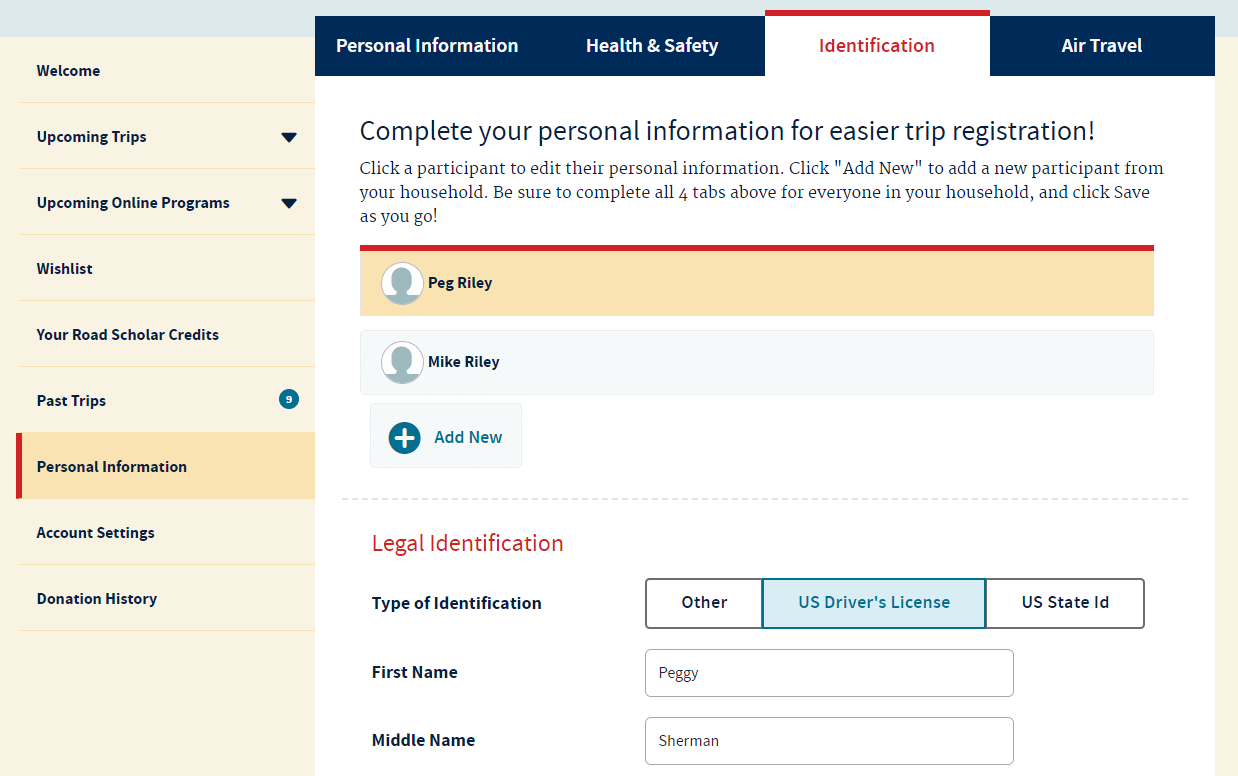
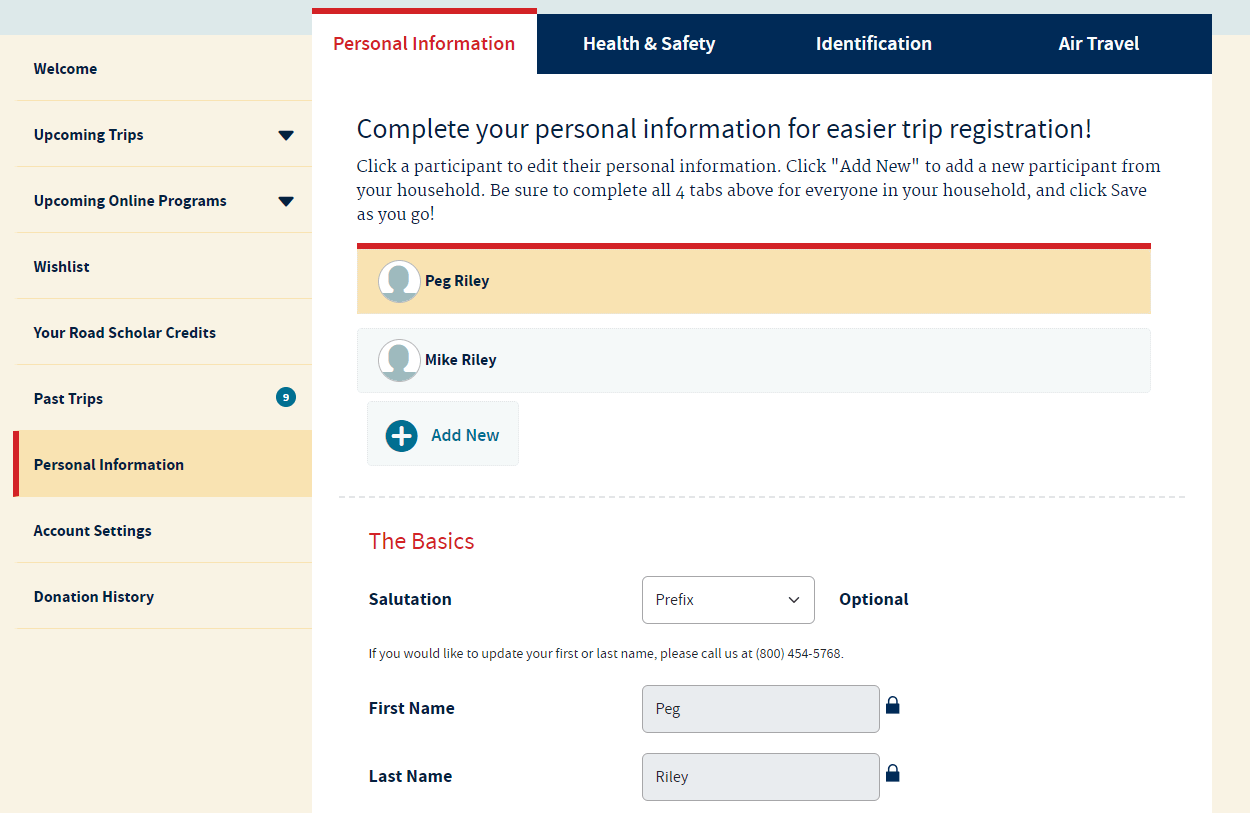
On your household's "Personal Information" tab, you will be able to find, edit and save information for every member of your household.
For every member of your household, you can review:
- Basic personal information like name, gender, contact information, emergency contact information and Road Scholar Class Year for you and your household members.
- Legal identification and passport information
- Air travel preferences, including your home airport, preferred airline, frequent flier information, cabin and seat preferences, flight meal preferences and your Known Traveler Number (or TSA Pre-Check)
- Health and Safety needs, including mobility restrictions, food restrictions, allergies and intolerances, sight or hearing impairment, medical equipment usage and room requirements.
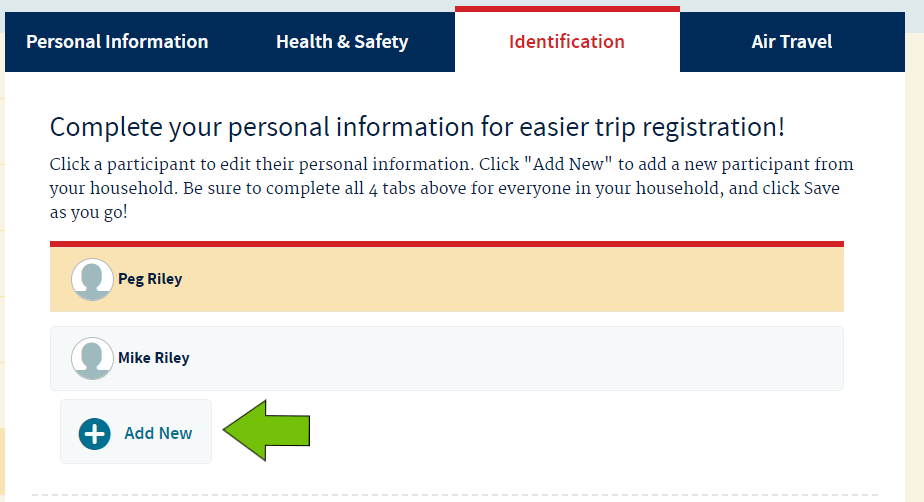
Note: Here is where you can add a household member to your account. You would do this by clicking “+ Add New”, filling out their information, then clicking “Save”.
Note: Want to remove someone from your household? Please give us a call at (800) 454-5768 and we can take care of that for you.
Selecting Upcoming Trips
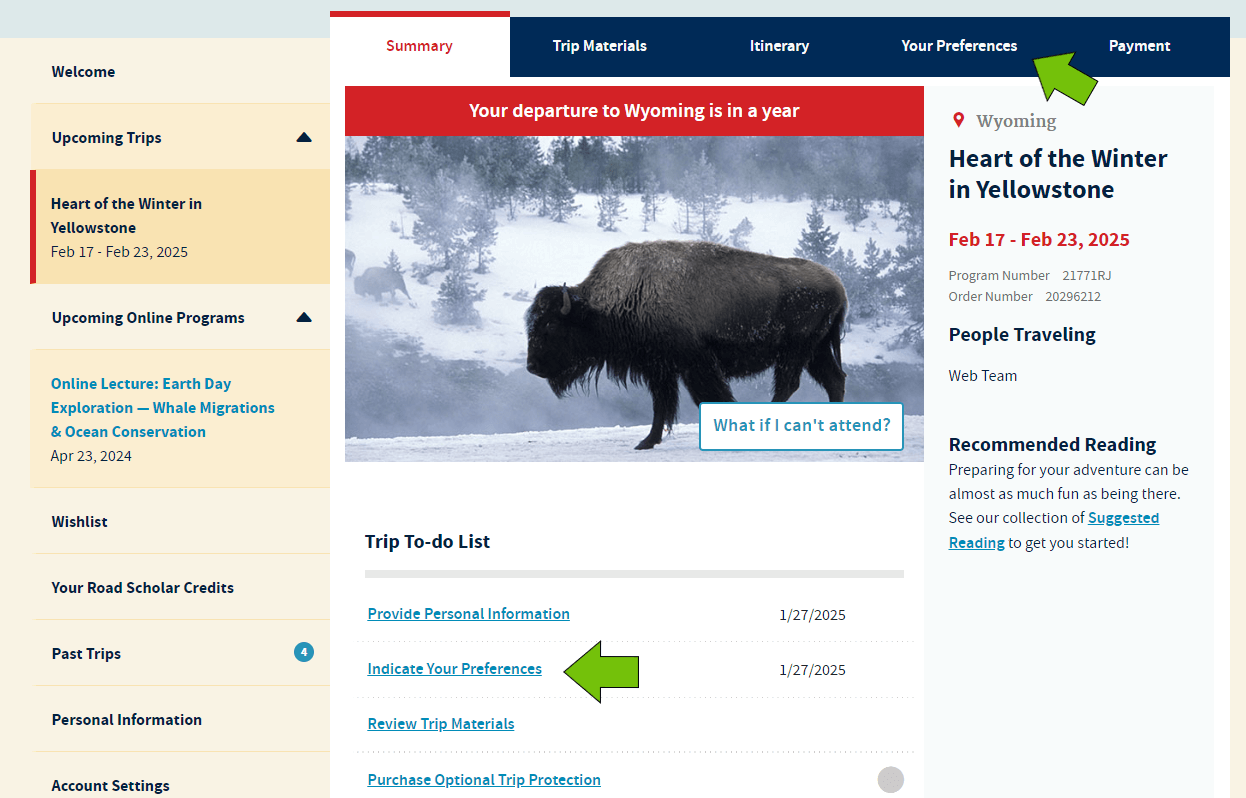
Once you are signed in, click on the "Upcoming Trips" tab on the left-hand side menu. This will display all the trips you have upcoming. If you are enrolled in multiple trips, the trip with the closest departure date will open by default.
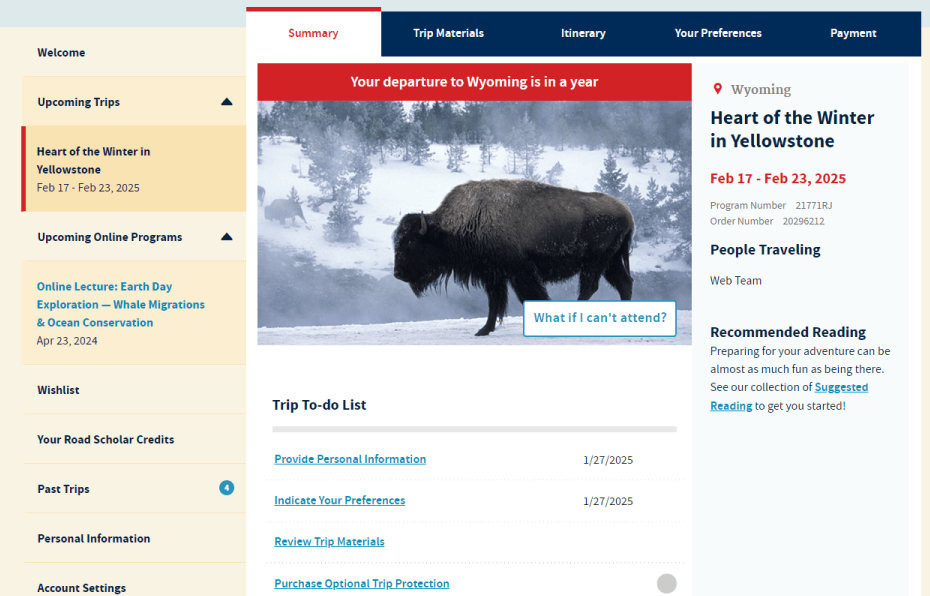
Click on the image above to enlarge it.
Indicating Your Trip Preferences
Once on your Upcoming Trips dashboard, you can find a link to Indicate Your Trip Preferences on your “To-Do List,” or you can click on the "Your Preferences" tab in the blue navigation bar.
For each person enrolled from your household on this trip, you will be able to review:
- The program's activity level
- Mobility Restrictions
- Food restrictions, allergies, intolerances and dietary preferences
- Room preferences
- Roommates and traveling companions, including those with whom you have enrolled separately and want to be on the same flight or group
- Anything else you might want to tell us, such has any special needs we may not have covered or if you are planning on celebrating a special occasion while on this trip
Note: On your “Trip To-Do List,” we have included a due date by which you need to provide or confirm this information.